
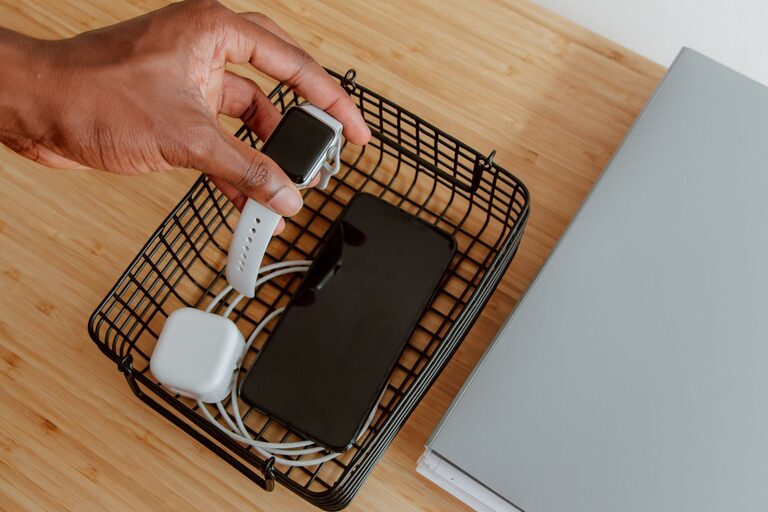
Setting up a dedicated charging station for your devices can simplify your daily routine, keep your space tidy, and ensure your gadgets are always powered up when you need them. Whether you have smartphones, tablets, smartwatches, or wireless earbuds, a well-organized charging area can save time and reduce clutter. In this post, we’ll guide you through the process of creating an effective charging station at home.
Why Have a Charging Station?
In many homes, devices are scattered across various rooms, often plugged into different outlets or chargers. This can lead to:
– Lost or misplaced chargers
– Tangled cables creating clutter
– Difficulty finding a free outlet
– Devices not charged when needed
A centralized charging station addresses these issues by providing one spot where all your devices can charge safely and neatly.
—
Step 1: Choose the Right Location
Start by selecting a convenient and accessible spot in your home. Consider these factors:
– Near a power outlet: Ensure your charging station is close to enough electrical outlets.
– Central location: A living room, kitchen counter, or home office desk often works well.
– Surface space: Pick an area with enough room for devices and chargers.
– Ventilation: Avoid enclosed spaces to prevent devices from overheating.
—
Step 2: Gather Your Charging Equipment
Depending on the devices you use, gather the necessary equipment:
– Power strip or charging hub: A multi-port USB charging station or a power strip with surge protection helps accommodate multiple devices safely.
– Charging cables: Ensure you have the right cables (USB-A, USB-C, Lightning, etc.) to connect your devices.
– Device holders or stands: These keep devices upright and visible while charging.
– Cable organizers: Clips, sleeves, or boxes manage excess cables and prevent tangling.
When purchasing a charging hub, prioritize models with fast charging capabilities and safety features like overcurrent protection.
—
Step 3: Organize Your Charging Station
Proper organization enhances usability and looks neat. Here’s how:
Arrange Devices by Usage
Group devices by type or charging frequency. For example:
– Daily essentials like smartphones and earbuds at the front
– Less frequently used devices towards the back
Use Cable Management Tools
– Cable clips: Stick these to the edge of the table to hold cables in place.
– Cable sleeves: Bundle multiple cables together for a cleaner appearance.
– Charging station boxes: Some models hide cables and power strips inside a box with openings for cables.
Label Your Cables
If you have many devices, labeling each cable can quickly identify which one belongs to which device, avoiding confusion.
—
Step 4: Set Up Safety Measures
Charging multiple devices simultaneously can generate heat and risk damage if not managed correctly.
– Avoid stacking devices on top of each other.
– Use chargers certified by recognized standards.
– Keep the charging area free of flammable materials.
– Unplug chargers if not in use for long periods.
—
Step 5: Maintain and Personalize Your Charging Station
Keeping your station tidy requires occasional maintenance.
– Dust the area regularly.
– Check cables for wear and replace damaged ones.
– Adjust cable management as you add or remove devices.
Personalize your station with decor or labels to match your home style and encourage consistent use.
—
Bonus Tips for a Modern Charging Station
– Wireless chargers: Consider adding wireless charging pads for compatible devices to reduce cable clutter.
– Smart plugs: Use smart plugs to schedule charging times or monitor energy use.
– Portable battery storage: Keep a power bank nearby for on-the-go charging needs.
– LED indicators: Choose chargers with LED lights to easily see charging status.
—
Summary
Creating a charging station for your devices involves selecting the right location, gathering equipment, organizing cables, ensuring safety, and maintaining the setup. With a dedicated space for charging, you save time, reduce clutter, and keep your devices ready to use. Start small, and customize the station to fit your needs and lifestyle for the best results.
—
Setting up a charging station is a simple project that offers big benefits. Give it a try today and enjoy a more organized, efficient home environment.